

In the high-speed digital world of 2026, static websites face more challenges in holding user attention. Modern users are accustomed to responsive and visually stimulating interfaces that navigate them through content effortlessly. The animation that was previously just decorative is becoming a functional part of the design that fosters usability and storytelling.
Integrating Motion UI gives web pages dynamic movement features that help to surpass a static layout, with more meaningful visual feedback, seamless transitions, and interactions. Interactive design makes navigation a lot easier but it also engages users and strengthens branding. It is through performance-oriented animations and user-centric design that companies can turn a regular website into an engaging digital experience.
Why Motion UI is Essential for Modern UX
The Role Of Motion UI In Modern User Experience Design It directs users’ attention, communicates feedback and facilitates the intuitive interaction between humans and digital interfaces.
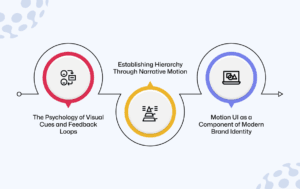
1. The Psychology of Visual Cues and Feedback Loops
Dealing with micro animations, which offer instant visual feedback to verify a user’s action. If a button reacts with subtle motion or color change, it reassures users that their interaction has been received. These feedback loops help mitigate uncertainty and are based on usability.
There was something about that sensation of tone and movement, which for me added an important psychological layer between the interface and user. Through smooth transitions and subtle interactions, designers can inform users about how a system works.
2. Establishing Hierarchy Through Narrative Motion
It also helps to create a visual hierarchy of information that leads users through complex information structures. Strategic animations draw attention to parts they want users to notice, and content is revealed in stages so that users can focus on important calls to action.
Here we can see how narrative motion guides the reader on a journey across the page. Rather than bombarding the viewer with content blocks frozen in space, motion feeds information dynamically.
3. Motion UI as a Component of Modern Brand Identity
The need for motion is part of the evolving digital brand identity. Standardized interaction patterns that include custom hover effects, animated icons, and custom transition styles help to set a site apart from bland templates.
When the motion elements complement a company’s unique visual style and messaging, they become a digital signature. Brand Recognition Repeated animation patterns help customers recognize your brand and translate professionalism.
Implementing High-Performance Interactions
Motion UI: Striking the Balance Between Creativity and Technical Efficiency Though interactive elements must add to the movement of navigation and tell a story, they cannot compromise website performance and accessibility.
1. Leveraging Scroll Triggered Animations for Storytelling
Scroll-triggered animations show off content as users scroll around a webpage. Parallax scrolling, fade-ins, and slide transitions all evoke a sense of progression that you find in stories.
These interactions are beneficial for maintaining engagement, as they show information one by one and not all at once. Scroll-based motion, when done right improves the clarity of navigation yet it captures user attention for a longer period thus increasing dwell time and improving conversion potential.
2. Optimizing Micro Interactions for Mobile Responsiveness
Mobile devices rely on touch input instead of navigation with a cursor; thus, micro interactions need to be optimized accordingly. A well-designed animation should be fast and lightweight in order to keep performances consistent across different sizes of screens.
Touch the highlight button, or alternatively hover for device phones and tablets, and animation is in action. For responsive web projects and mobile application experiences, motion design that varies seamlessly across devices provides consistent engagement patterns.
3. Integrating Lottie Files and Vector-Based Motion
Lottie animations are powerful, small-file-size motion graphics built from vectors. Conventional video animations are heavier, but Lottie files are lighter and preserve visual quality regardless of device and screen resolution.
Utilizing vector-based motion also decreases file sizes and retains website performance. This has support for SEO-friendly development practices while providing rich graphical interactive elements.
4. Designing Inclusive Interactions with Accessibility in Mind
Inclusive design keeps motion elements accessible to users of varying abilities and sensitivities. Others are sensitive to too much animation, so we need accessibility settings.
When developers implement system preferences, like motion reduction settings to minimize animations for users who have requested it. Motion can improve the experience of visiting a site, but designing interactions that work in a non-interactive way also makes websites more accessible while still providing engaging sites for people who like interactive visuals.
Balancing Performance with Creativity
Motion provides more engaging user experiences; however, too much animation can hinder performance and usability. Also, designers need to analyze each animation not just how it looks.
1. Benchmarking Engagement: Measuring the ROI of Motion
Measurable results must back interactive design enhancements. Heatmaps, session recordings, and dwell time analytics uncover the way users interact with animated elements.
This data enables the business to try and measure whether motion increases engagement or conversion rates. Within all that potential design complexity, data-driven analysis can ensure that design iterations are materially contributing to performance improvements.
2. Avoiding Animation Fatigue and Technical Bloat
When users overlook animation, the full value of interactive features is lost. If every element moves or transitions too much, users find distraction instead of clarity.
One static motion graph (288 px X 156 px) that is commonly used.
Conclusion
Motion UI connects functional websites to memorable digital experiences. When thoughtful animation meets user-centered design, businesses are able to create engaging interfaces that guide visitors through a more cohesive sales process while reinforcing brand identity.
Through advanced UI and UX design strategies, Aqlix IT Solutions helps organizations create performance-focused interactive platforms. Incorporating motion design and custom web development into digital experiences offers a unique opportunity for businesses to communicate with users, drive engagement and create significant brand loyalty in the darkness of a hyper-competitive marketplace.
Frequently Asked Questions
What is Motion UI in web design
Motion UI is about animations and transitions that lead user interaction on the website. These kinds of animations offer feedback, support navigation, and help in storytelling. When used effectively, motion design will aid the user in understanding how an interface behaves, thus leading to a more compelling and intuitive experience.
Why are microinteractions important in UX design
Micro interactions give instant feedback when users interact with elements, be it taps on buttons, portals or forms. They are good at validating actions, helping reduce uncertainty, and making interfaces feel responsive. These endearing animations enhance usability while making for a slicker and more effective user experience overall.
How does Motion UI affect website performance
Badly optimized animations can cause slower page loading while also reducing performance. Utilizing lightweight frameworks and vector-based animations along with optimal coding practices creates smooth motion effects while keeping fast website performance and SEO metrics in check.
Are animated websites good for SEO
When visitors spend more time on your interactive web content than text, your pages get rated for high SEO. But animations should also be optimized so that loading speeds aren’t slow. Motion design that strikes the right balance enables your user experience, as well as helps with search engines.
How can businesses implement motion UI effectively
Identify areas where motion enhances usability, which may be navigation, feedback, or storytelling. Scalable animation tools and a keychain of methods for performance optimizations make sure that motion is not only functioning at all but also working efficiently while adding more value to the overall experience through digital mediums.